wtoto Casino Mobile App
Mobile access to wtoto puts sportsbook markets, live-dealer tables, and slot games in your pocket. Whether you download our Android app or access wtoto via your iOS browser, your account balance and game history sync instantly. We design our mobile experience for speed, security, and straightforward navigation — so you can manage your account, place bets on Liga 1 or Champions League matches, and withdraw your balance from anywhere, anytime.

- and
- LoginOTP Verification
- SHA256 Match
Our wtoto app for Android offers offline account viewing, push notifications for live events, and faster load times compared to the browser. For iOS users, our mobile web version works seamlessly in Safari and Chrome — no separate app installation needed. Both paths give you access to the same games, payment methods (DANA, e-wallet, mobile banking, local payment, online payment, e-wallet, and bank transfers), and customer support.
This guide covers how to install wtoto on Android, access our service on iOS, set up your account on mobile, and troubleshoot common issues. Mobile-first betting and gaming means you stay connected to live markets, live tables, and game updates without being tied to a desktop.
Android app installation and setup
We distribute our wtoto Android app via direct APK download — you will not find it on the Google Play Store, as our service operates under jurisdiction-restricted access. To install wtoto on your Android device, visit our official download link, enable installation from unknown sources in your device settings, and complete the setup. The Android app supports devices running Android 7 and above. Installation typically takes subject to verification and uses approximately 45–60 MB of storage.
Enable Unknown Sources
Go to Settings → Security → Unknown Sources and toggle it on.
Install & Launch
Tap the APK file, confirm installation, and launch wtoto.

iOS browser access via Safari and Chrome
iOS users access wtoto through Safari or Chrome without needing to install a separate app. Open your browser, navigate to our mobile domain, and log into your account. Your session persists across browser restarts, and you can bookmark wtoto to your home screen for quick access. iOS 12 and later are fully supported. The mobile web version is optimised for touch screens and delivers the same functionality as the Android app — sportsbook, live-dealer games, slots, and account management.
Account registration on mobile
Opening a wtoto account on your phone is straightforward. Tap the Register or Sign Up button, enter your email and choose a username, set a secure password, and provide your mobile number. You will receive a verification email — click the link to activate your account. Next, we ask you to upload a photo of your national ID card for KYC (Know Your Customer) verification. Our compliance team reviews your ID within a few hours. Once approved, your account is fully active and you can deposit funds immediately.
After your account is verified, set up your preferred deposit method. Our wtoto app and mobile web both support DANA, e-wallet, mobile banking, local payment, online payment, e-wallet, and direct bank transfers (mobile banking, local payment, online payment, e-wallet). Deposits are instant and fee-free. Your balance appears in your account immediately and you can begin staking on Liga 1 matches, placing bets in our sportsbook, or playing live blackjack, roulette, or our selection of slot games.
wtoto app versus mobile browser: key differences
Our Android app and iOS browser version both deliver the full wtoto experience, but each has distinct advantages. The Android app supports offline account viewing — you can check your balance and game history even without an internet connection (data syncs when you reconnect). The app also sends push notifications for live-event updates (Liga 1 kickoffs, Piala AFF matches, live-table results), helping you stay alert to markets you are following. App load times are typically faster because the app caches static assets locally. The browser version, available on both iOS and Android devices, requires no installation, updates automatically, and works across any device with Safari or Chrome. If you have limited storage, the browser is ideal. For convenience and speed, most of our users prefer the Android app.

Device compatibility and operating system requirements
Our wtoto app requires Android 7 or later (released 2016 onwards). Most modern Android phones meet this requirement. For iOS, our mobile web version works on iOS 12 and later (2018 and newer devices). Older devices running Android 6 or iOS 11 can still access wtoto via browser, though performance may vary. We recommend a stable internet connection (Wi-Fi or 4G) for the smoothest experience, especially when playing live-dealer games or viewing live-match odds. On slower 3G connections, the app may take longer to load game feeds and market updates.
Common installation issues and solutions
If you cannot install the wtoto Android app, check that "Unknown Sources" is enabled in your security settings. Some devices require additional steps: navigate to Settings → Apps → Special app access → Install unknown apps and toggle permission for your browser. If the APK file fails to download, try a different network (switch from 4G to Wi-Fi, or vice versa) and download again. If you see a "Certificate not trusted" warning, this is normal for direct APK downloads and does not indicate a security issue — proceed with installation. For iOS, if wtoto does not load in Safari, clear your browser cache (Settings → Safari → Clear History and Website Data) and try again. If the mobile site is slow, disable any browser extensions or ad blockers, as these can interfere with page loading.
Data, permissions, and account security on mobile
When you install our wtoto Android app, we request permission to access your device's basic information (model, OS version) to optimise performance and send you push notifications for live events. We do not access your photos, contacts, or call history. Your KYC data (national ID photo, email, phone number) is encrypted and stored securely. When you log into wtoto on any device — Android, iOS, or desktop — your session is protected by standard HTTPS encryption. We recommend enabling two-factor authentication (2FA) on your account for added security. To do this, go to Account Settings → Security on your mobile device, and follow the prompts to link your phone number or authenticator app. Always logout from wtoto when using a shared or public device. If you suspect your password has been compromised, visit our Password Reset page immediately to change it.
Push notifications and mobile app settings
Our Android app can send you push notifications for live-event updates (Liga 1 matches, Piala Indonesia fixtures), live-table notifications (when your preferred dealer comes online), and account alerts (withdrawals processed, deposits confirmed). You control these settings within the app. Go to Settings → Notifications and toggle each category on or off. Disabling notifications saves battery and data usage but means you may miss time-sensitive market updates. If you want to receive alerts during specific hours only — for example, weekday evenings during Liga 1 season — set up a notification schedule in your app preferences.
Withdrawals and customer support on mobile
Requesting a withdrawal from wtoto on your mobile device is the same as on desktop. Open your account, navigate to Withdraw, select your registered payment method (mobile banking, local payment, online payment, e-wallet, mobile banking, local payment, or bank account), enter your amount, and confirm. Our compliance team reviews your request and initiates the payout. Bank transfers and online payment withdrawals typically process within one business day; e-wallet transfers (e-wallet, mobile banking, local payment, online payment, e-wallet) may complete within minutes. If you have questions about a withdrawal or encounter any issue, contact our support team via the in-app chat feature (available during business hours) or email. Our team responds to withdrawal and account issues within 4–6 business hours on weekdays.
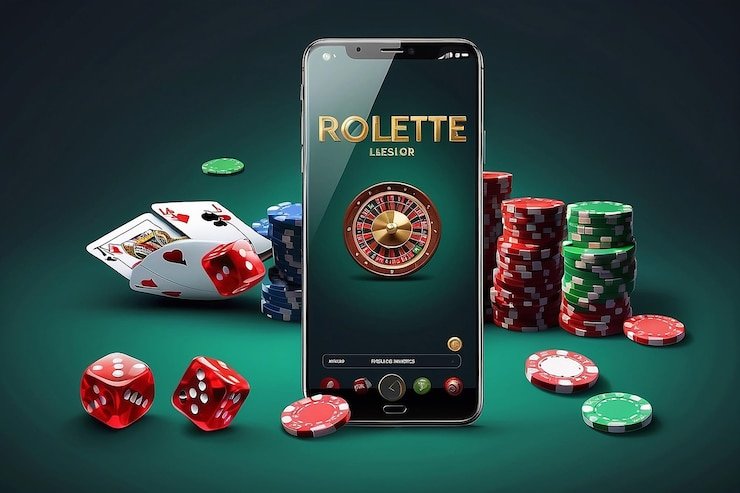
Games and markets available on wtoto mobile
Our wtoto mobile app and browser give you full access to our sportsbook (football matches including Liga 1, Piala AFF, Champions League, Premier League), live-dealer tables (blackjack, roulette, baccarat, Dragon Tiger with multi-camera studios), slot games (Aviator, Sweet Bonanza, Gates of Olympus, Fortune Tiger, Mahjong Ways), and esports markets (Mobile Legends, Free Fire, PUBG Mobile). Live markets update in real time on both Android and iOS, so you can monitor odds and place bets while matches are underway. Our mobile platform is optimised to handle rapid market changes and instant bet confirmations, even on 4G networks.
Mobile-first gaming means you access wtoto wherever you are — track Liga 1 standings during Idul Fitri holidays, play live blackjack on your commute, or manage your account from anywhere.
Mobile access checklist
Before you start using wtoto on your phone, ensure you have completed these steps:
- Downloaded the Android app or opened wtoto in Safari/Chrome on iOS.
- Created and verified your wtoto account (email verification + KYC approval).
- Set up at least one deposit method (mobile banking, local payment, online payment, e-wallet, mobile banking, local payment, or bank transfer).
- Reviewed our Terms of Use and Privacy Policy.
- Confirmed that accessing wtoto complies with your jurisdiction's laws.
- Enabled two-factor authentication (recommended for security).
- Set up push notifications (Android app only, if desired).
Questions about installing wtoto, logging in on your phone, or managing your mobile account? Contact our support team via in-app chat or email. We are here to help.
wtoto delivers the full sportsbook, live-dealer, and gaming experience on your mobile device. Whether you choose our Android app for offline viewing and notifications or access wtoto via your iOS browser, your account, balance, and game history stay in sync. Get started by downloading the app or opening wtoto in your browser — then verify your account, deposit via your preferred payment method, and begin exploring our markets and games.